Sister Other Paranoia Demo Guide
How to find, play, and evaluate the Discord-distributed demo before launch.
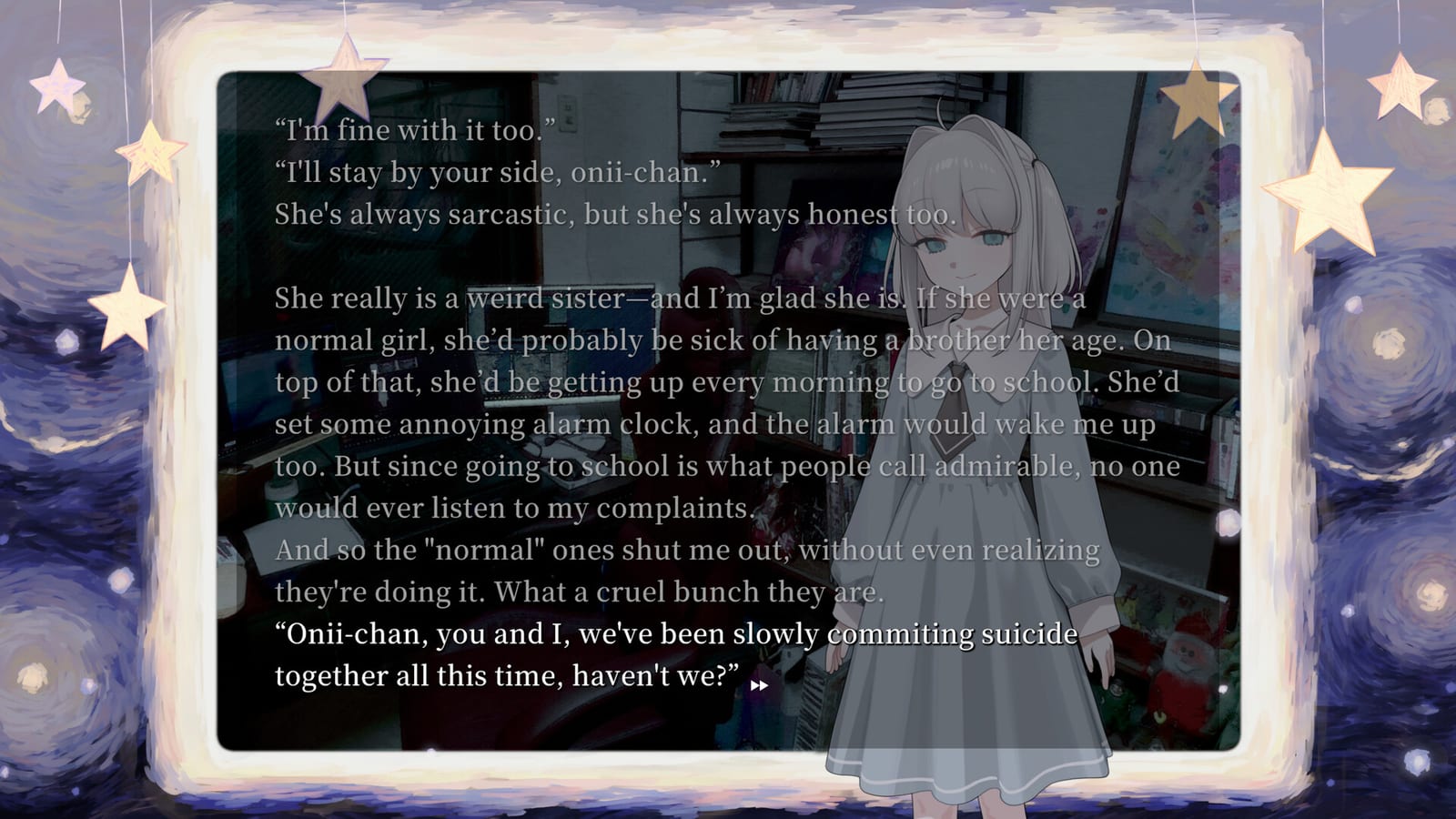
Demo status in plain language
On July 31, 2026, HazeDenki announced—via official social posts from @your_sister and subsequent press—that a free Sister Other Paranoia demo was being distributed through the game’s Discord server, and asked players to report bugs there. That remains the best public distribution story at writing time. Demo builds can move, expire, or be replaced. Always verify the current download instructions from official HazeDenki channels before you trust a file.
This guide explains how to use a demo wisely: what questions it can answer, how to protect yourself from spoilers and malware-shaped “mirrors,” and how to give feedback that actually helps. For how to join the real server safely (hazedenki.net / official social invites, community nicknames like “Don’t tuch grass,” no invented invite codes), use the dedicated Discord Guide. Pair both with Getting Started, Trailer Breakdown, and the Guides Hub. For the play loop itself, see How to Play.
Why a Discord demo instead of a Steam demo button?
Developers sometimes prefer Discord for short, rapidly iterated builds—especially when they want bug reports in a monitored channel. A Steam Next Fest style demo is easier for discovery; a Discord demo is easier for conversation. Sister Other Paranoia’s reported approach fits a small team polishing a classic VN before an August release.
Implications for you:
- You may need a Discord account.
- You should enter through links on hazedenki.net or verified posts from @your_sister—details on Discord.
- Instructions might live in a specific channel or announcement post.
- Builds may update without a flashy patch blog.
- Feedback might be requested in Japanese, English, or both—follow the channel rules.
- Community nicknames (e.g. “Don’t tuch grass” / Don’t touch grass) help recognition but are not invite codes.
If a Steam demo appears later, this page will note it. Until then, do not assume the store page’s “demo” widget will exist.
Safe download checklist
- Start from official links on hazedenki.net / the verified @your_sister account / Serenity Forge pointers that lead back to those sources.
- Join the Discord they indicate—not a lookalike server with a similar icon. See Discord before you accept a random code from chat.
- Download only from the channels or posts staff mark as official.
- Avoid third-party rehosts, “mega mirrors,” and random drive folders in comment sections.
- Scan files per your own security habits; VNs are not magically safe because they are novels.
- Read any included README for controls and known issues before launching.
If something asks for your Steam credentials inside Discord DMs, that is not a demo—it is a scam.
What the demo is for
Use the build to test fit, not to “beat” a phantom 100% list.
Tone endurance
Can you sit with codependent sibling intimacy and social paranoia for the demo’s length? Trailers compress; demos linger. If you feel drained after twenty minutes, believe that data.
Reading comfort
Full-screen text is the product. Check font comfort, line length, and whether you want a larger monitor. Practice the advertised click advance and right-click hide-text flow—details in Controls.
Warning accuracy
Steam lists blood/injury imagery, mild sexual or suggestive content, and mental-health themes. Note whether the demo’s intensity matches your readiness for a full-price purchase near $9.99.
Performance on your machine
Minimum specs are modest, but overlays and browsers still hitch. Confirm alt-tab behavior and audio device switches before launch night.
Interest in mind reading framing
Even a short sample may show how telepathy and resentment are staged. Evaluate feelings, not optimal strategies. See Mind Reading.
Audio identity
If music is doing heavy lifting for you, compare demo scenes with store BGM media notes on Soundtrack—without inventing YouTube OST IDs.
What the demo is not for
- Completing a wiki ending chart (do not invent one; the full game is still unreleased as of August 8, 2026)
- Datamining as a substitute for playing
- Harassing developers over unfinished balance that may not even be systemic
- Spoiling others in public channels without tags
- Judging final runtime from a partial build
- Rehosting the build “as a public service” outside official channels
Bug reporting that helps
HazeDenki invited players to report bugs in Discord as part of the July 31 demo announcement. Good reports look like:
- Short title: “Text box stuck after hide-text”
- Steps: what you clicked, in order
- Expected vs actual
- PC specs / OS (Windows version; macOS if applicable)
- Screenshot or short clip when possible
- Build identifier if the README provides one
Bad reports look like “game bad” with no repro. Be kind. Teams read tone as well as logs. File reports in the official server documented on Discord, not in random fan Discords.
Spoiler-safe demo habits
- Mute speculative ending channels if they exist.
- Do not paste long script excerpts into public socials without considering others’ blind runs.
- If the demo includes a mind-reading scene that unsettles you, stop—progress is optional.
- Keep a note of questions for the full game rather than demanding answers from staff.
- Creators showing the demo on stream should still add content warnings—see Streaming.
Comparing demo feelings to Overload nostalgia
Fans arriving from Needy Streamer Overload sometimes expect meters and schedules. If the demo feels “too simple,” that may be the classic VN design working as advertised. Recalibrate with From Needy Streamer Overload and the craft posts summarized in Dev Diaries before writing the whole project off.
After the demo: decide deliberately
Possible outcomes:
- Wishlist and wait — tone works; you want the full release around August 14, 2026.
- Wishlist but delay play — interested, not emotionally available; set a reminder.
- Pass — valid. Dark fiction is optional.
- Need more info — rewatch the trailer, read Choices for agency expectations, then sit with it.
Purchase steps live on How to Buy.
Platform notes
Steam’s full-game matrix emphasizes Windows. Coverage has mentioned macOS for the release. Demo platform support may be narrower than the final SKU. If you only have a Mac, confirm the demo build’s OS list before spending evening energy on Discord setup.
Relationship to this wiki’s other pages
While you demo, these pages stay useful:
- Discord — official invite path and server safety
- Streaming — if you capture the demo publicly
- Gameplay Hub — category map
- How to Play — session planning
- Controls — UI verbs
- Mind Reading — thematic system
- Choices — save hygiene even in short builds
Update policy
When the demo disappears, moves to Steam, or changes distribution, update this page’s logistics—not its ethics. The ethics stay: verify official links via hazedenki.net / official socials, protect your mental health, avoid fake ending guides, and report bugs with clarity inside the real HazeDenki Discord.
If you only remember one line: the demo exists to help you choose, not to crown a speedrun meta. Choose carefully, then meet the full game—or do not—on your own terms.
Frequently Asked Questions
Quick answers to the most common questions.
Where is the Sister Other Paranoia demo?
Official posts on July 31, 2026 announced free distribution through the game’s Discord. Find the real invite via Discord using hazedenki.net or @__your_sister__—not random rehosts.
Is the demo on Steam?
A Steam demo button is not the currently emphasized path in pre-release coverage. Check the store page periodically in case that changes.
Should I report bugs?
Yes, if you find them. Developers asked for Discord bug reports—include steps, system info, and screenshots when possible.
Can the demo spoil the full game?
Any story demo can reveal early tone and plot seeds. Stay out of speculative ending threads if you want a blinder full release.